
Retune your device
What to do
The BFBS E10B (Europe & Middle East) satellite configuration will change on the 31st of March at 0915 GMT. Your set top box will need to be retuned to restore services. Please do not attempt to retune before then as it will cause a loss of service.
When the change happens, your TV will display the following:
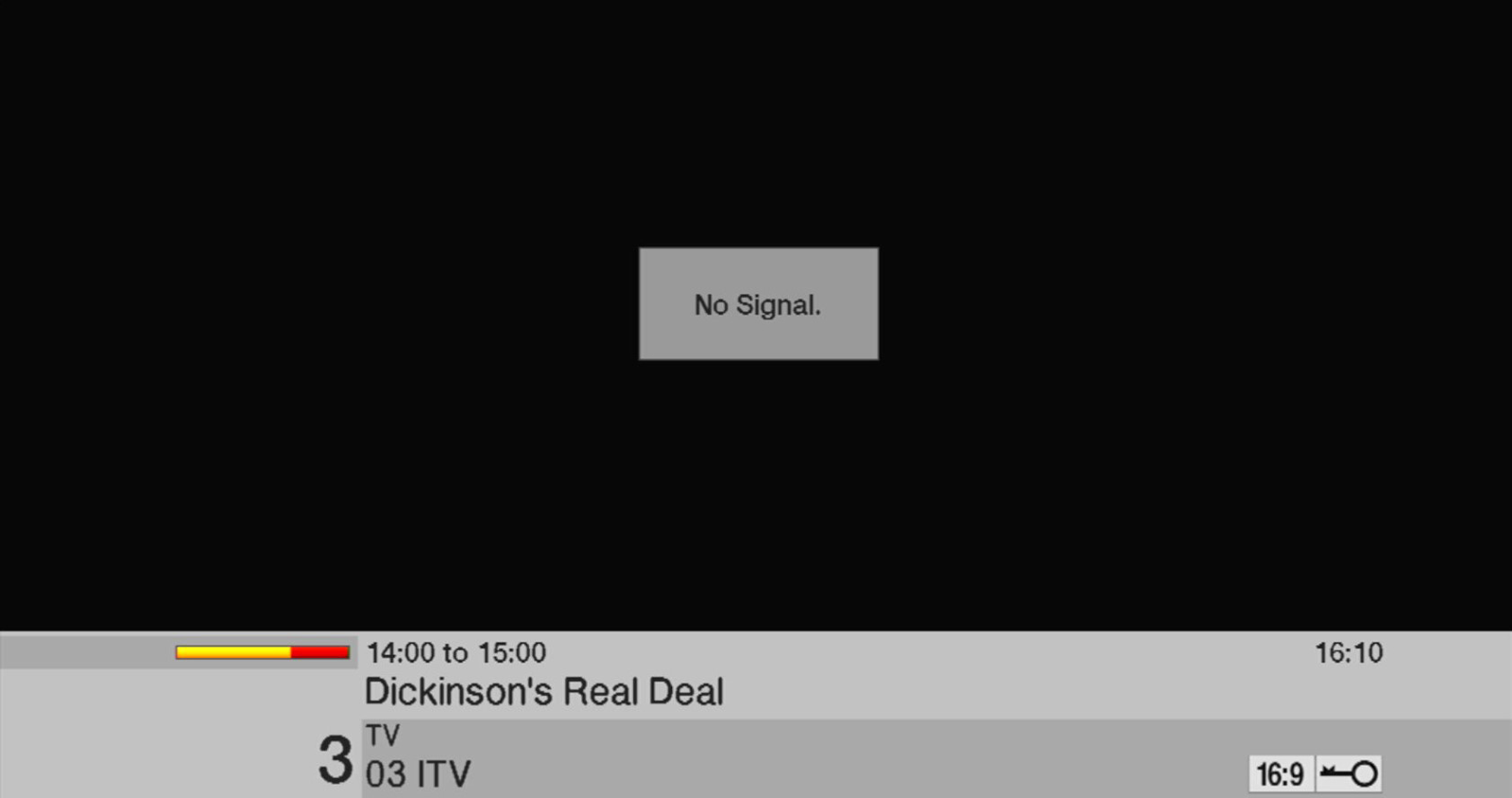
1. To restore the service, you will need to use your set top box remote control.
2. Press Menu button near the bottom left.
3. Use the Arrows to highlight. Channel Search then press OK.
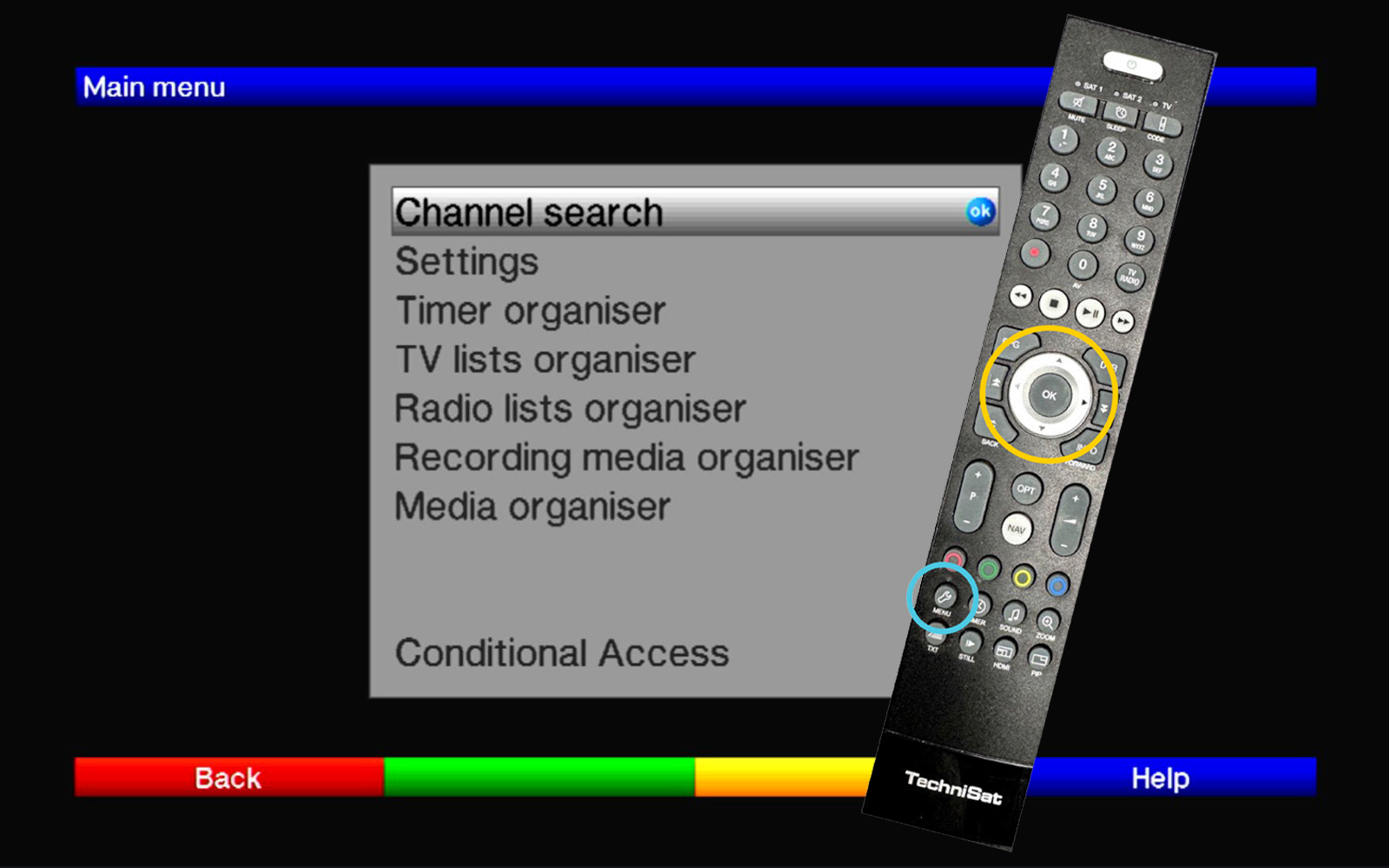
4. Use the Arrows to highlight Transponder, press OK, then highlight the box for Symbol rate.
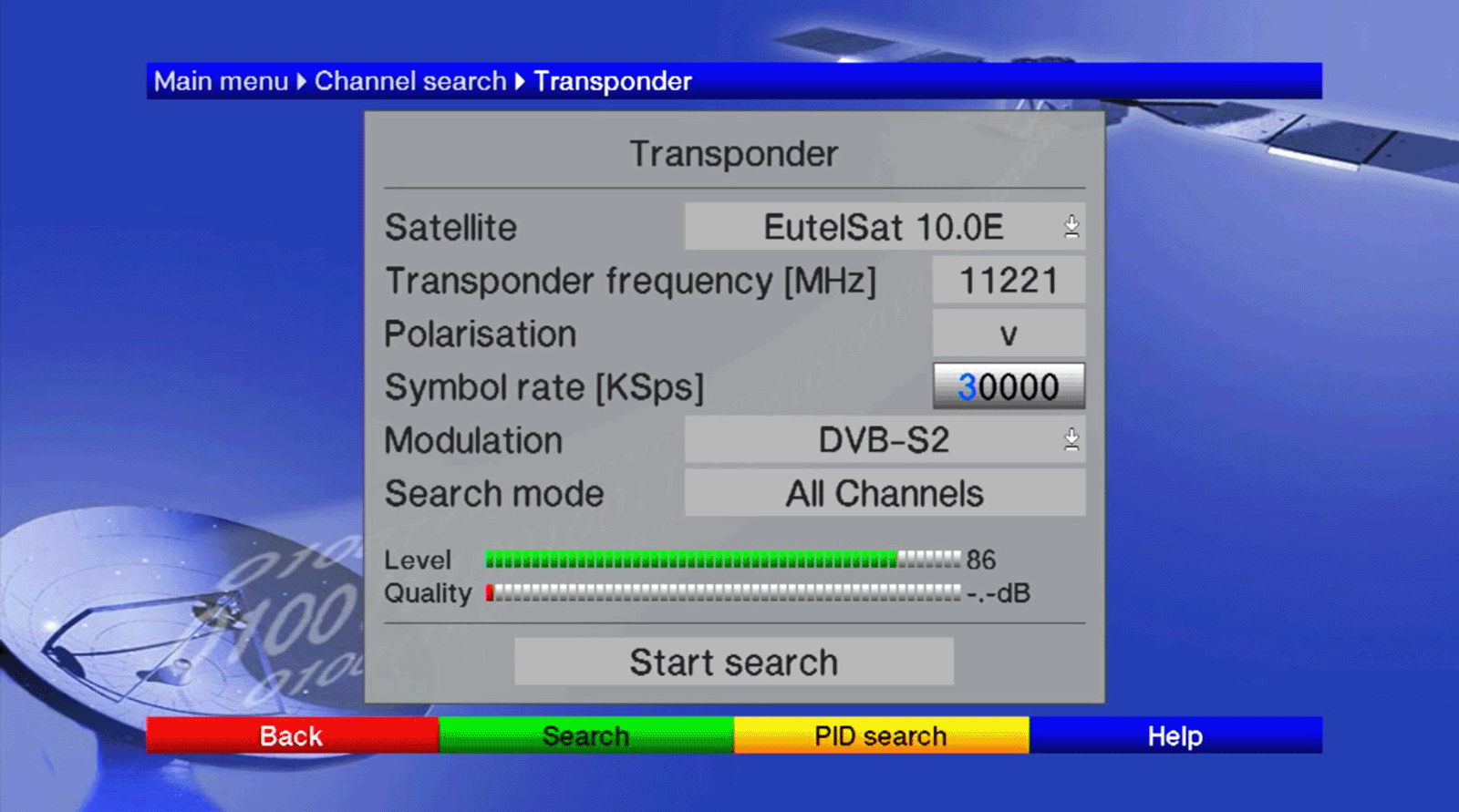
5. Use the remote control number pad to type in the new value of 24760. Once you have done this, the Quality bar at the bottom of the screen will become green.
6. Use the Arrows to highlight Start. Search then press OK.
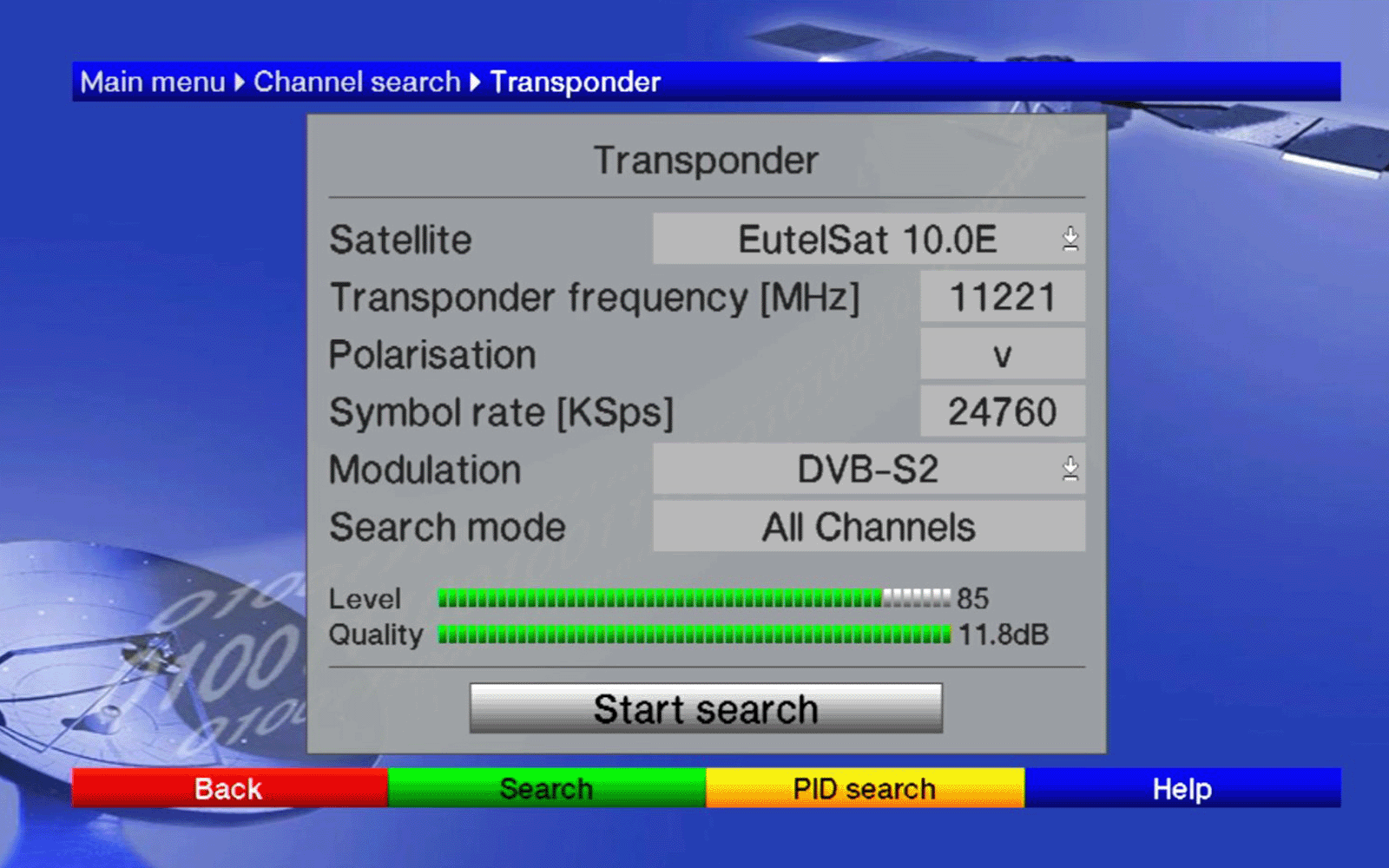
After a couple of seconds, a dialogue box will report 51 Channels found.
7. Use the Arrows to highlight Sort Automatically, then press OK.
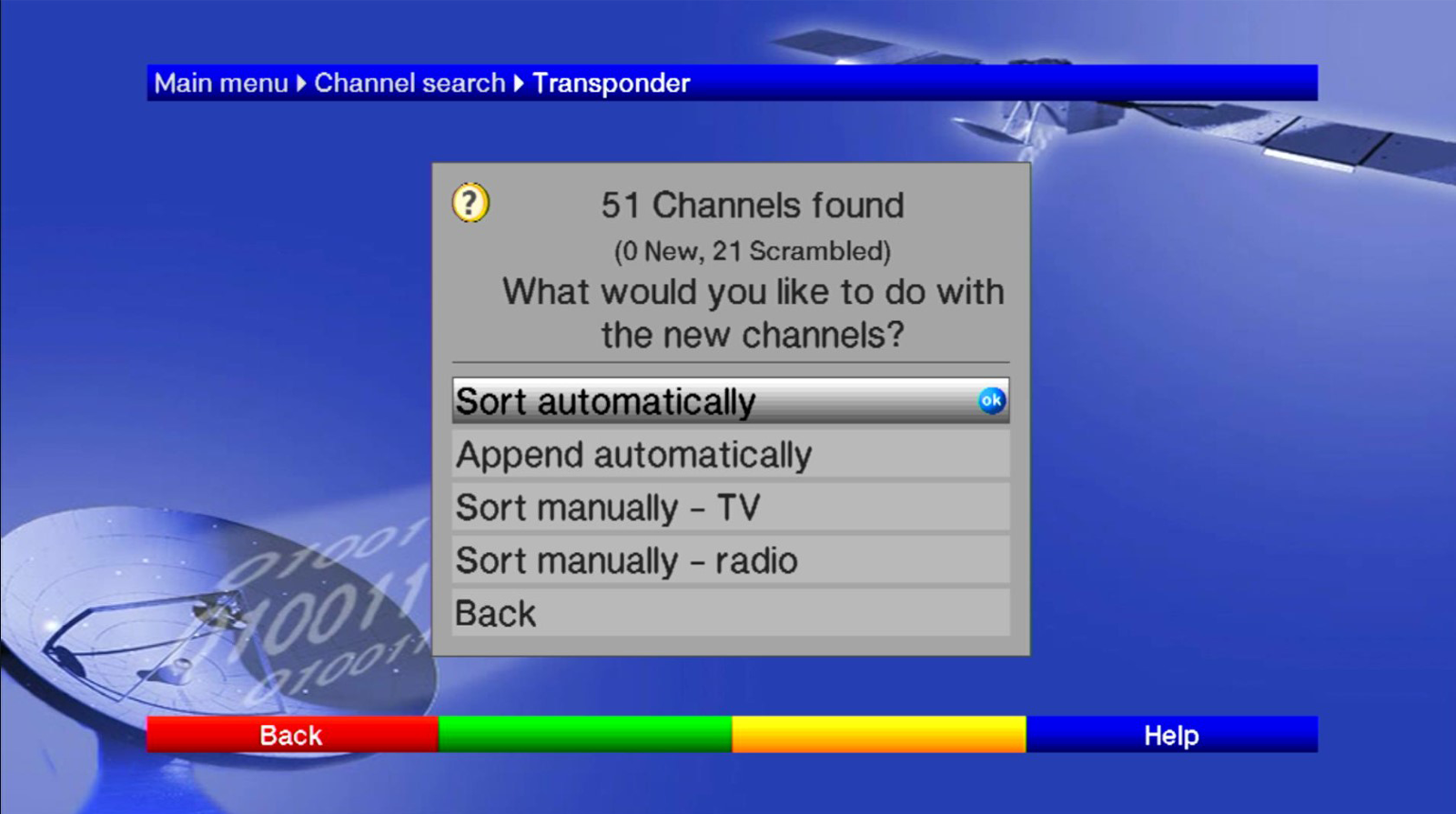
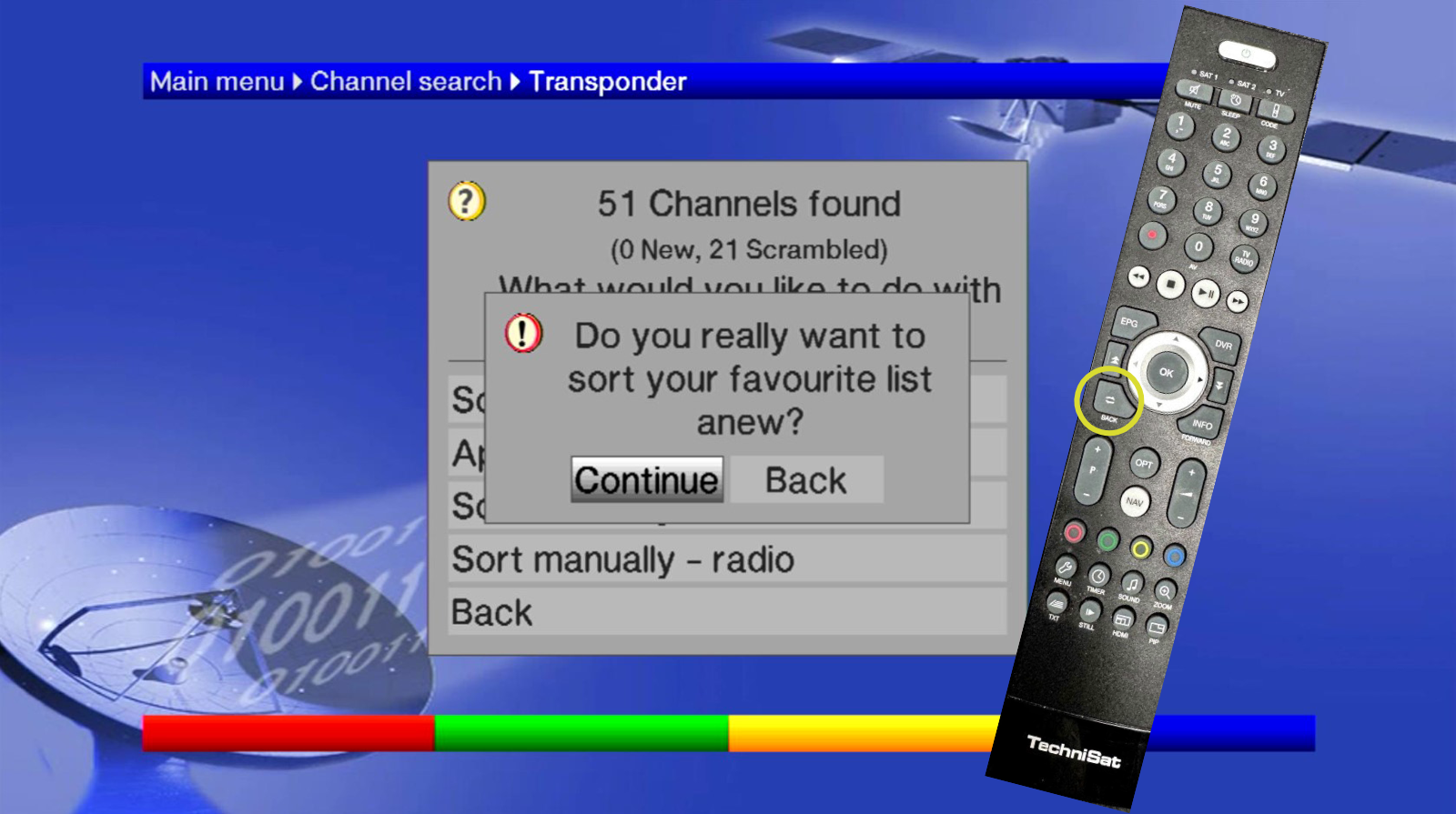
8. Highlight Continue then press OK.
9. Press Back three times and your normal viewing should be restored.
Need help?
For more support call: +44 (0)1494 878100 or you can check out our 'Help' page by clicking below.