
What you need to know...
BFBS services in Africa are migrating to a new satellite during September 2026. Set Top Box receivers will need to be retuned to restore services once you are connected to a new satellite dish.
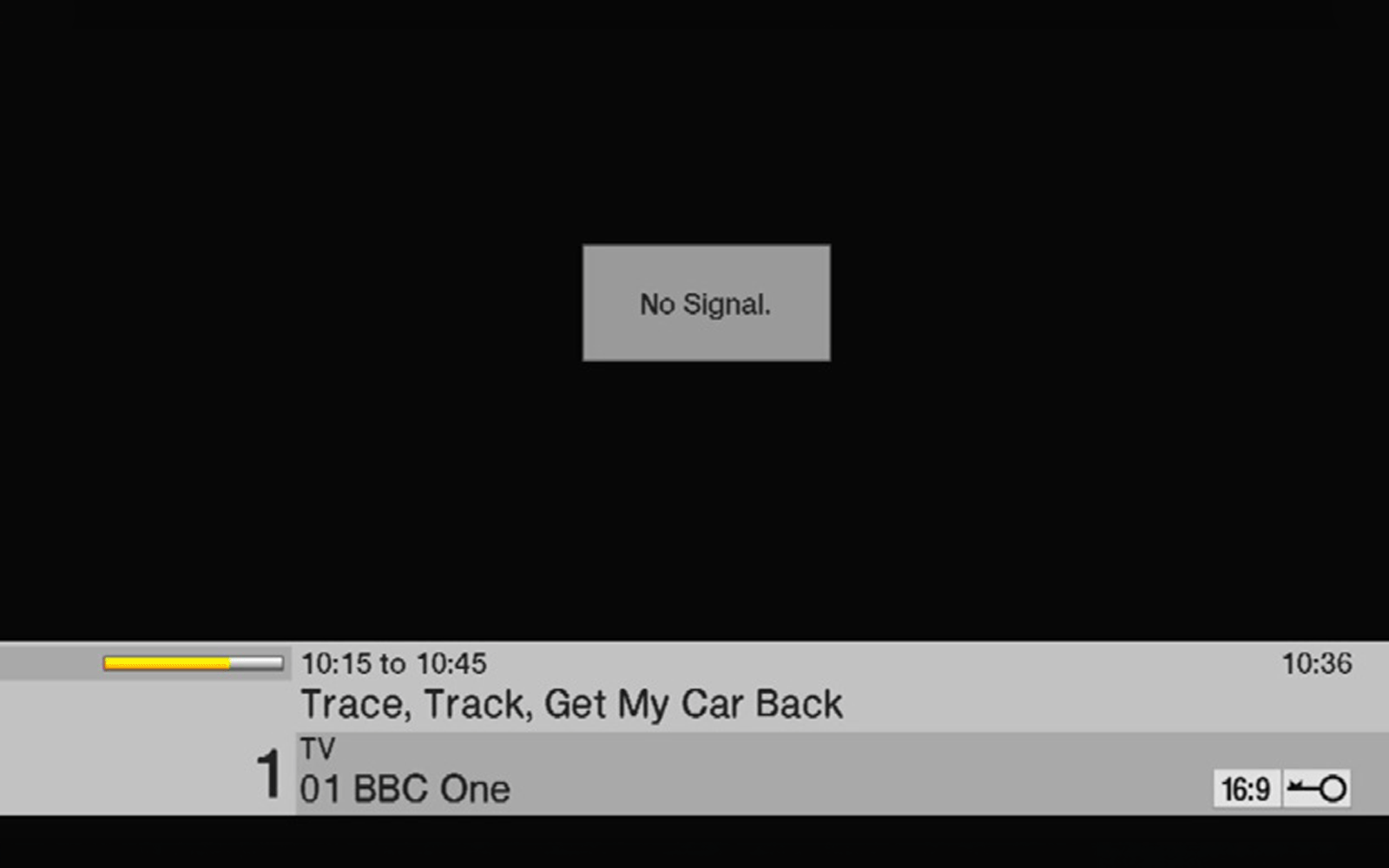
When the change happens, your TV will display the following:
1) To retune the receiver, you will need to use your remote control.
2) Press Menu button near the bottom left.
3) Select Settings and Press OK.
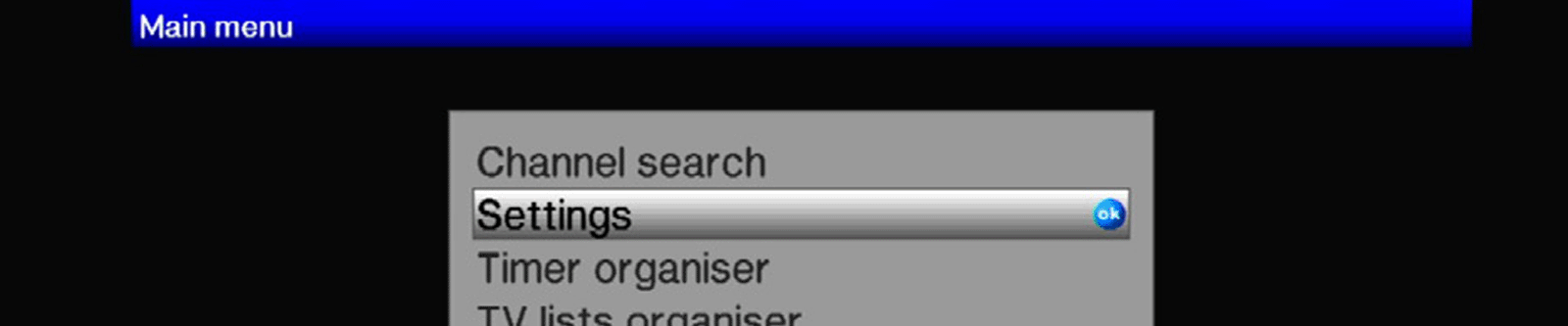
4) Select Service Settings and Press OK.

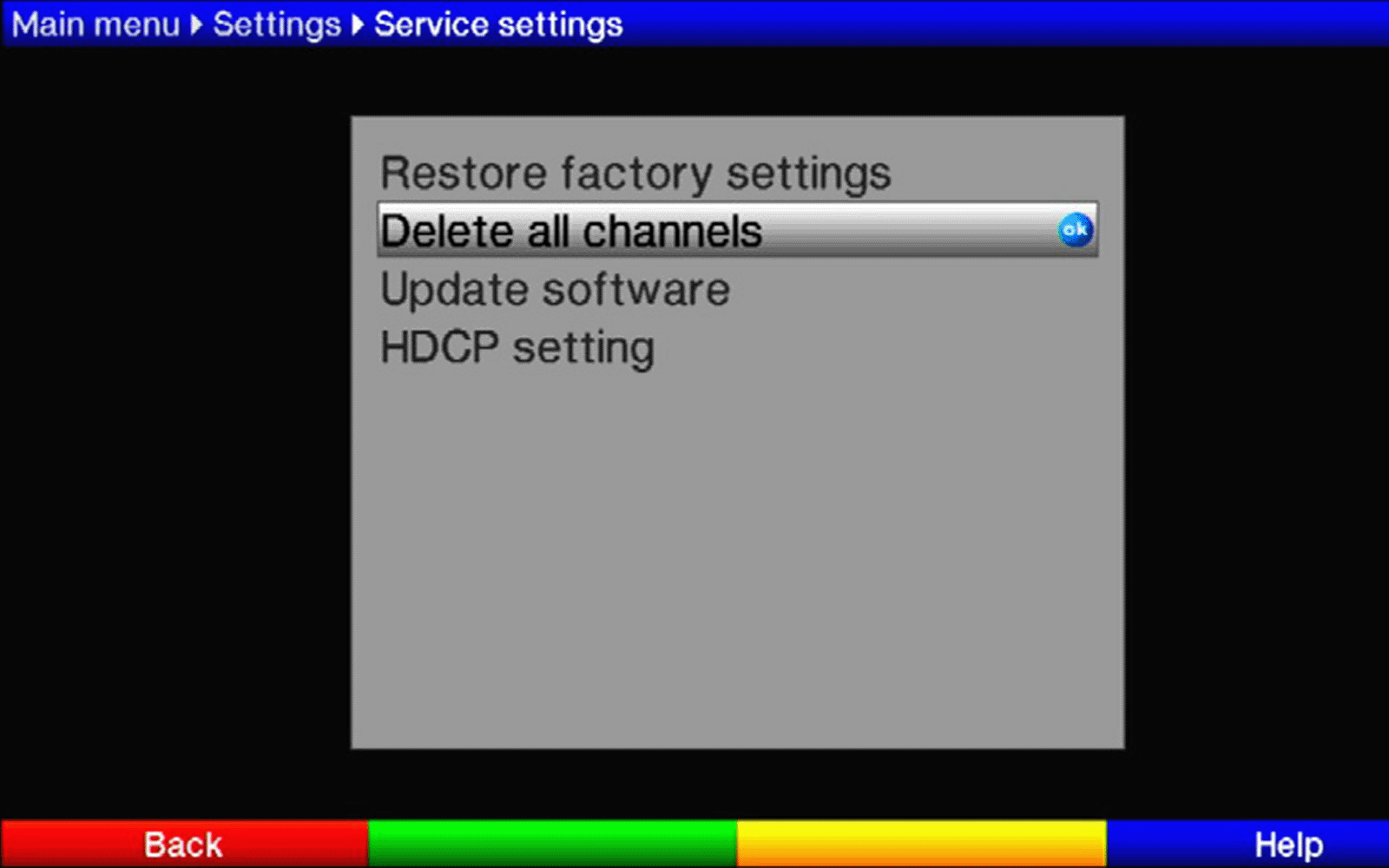
5) Select Delete all channels.
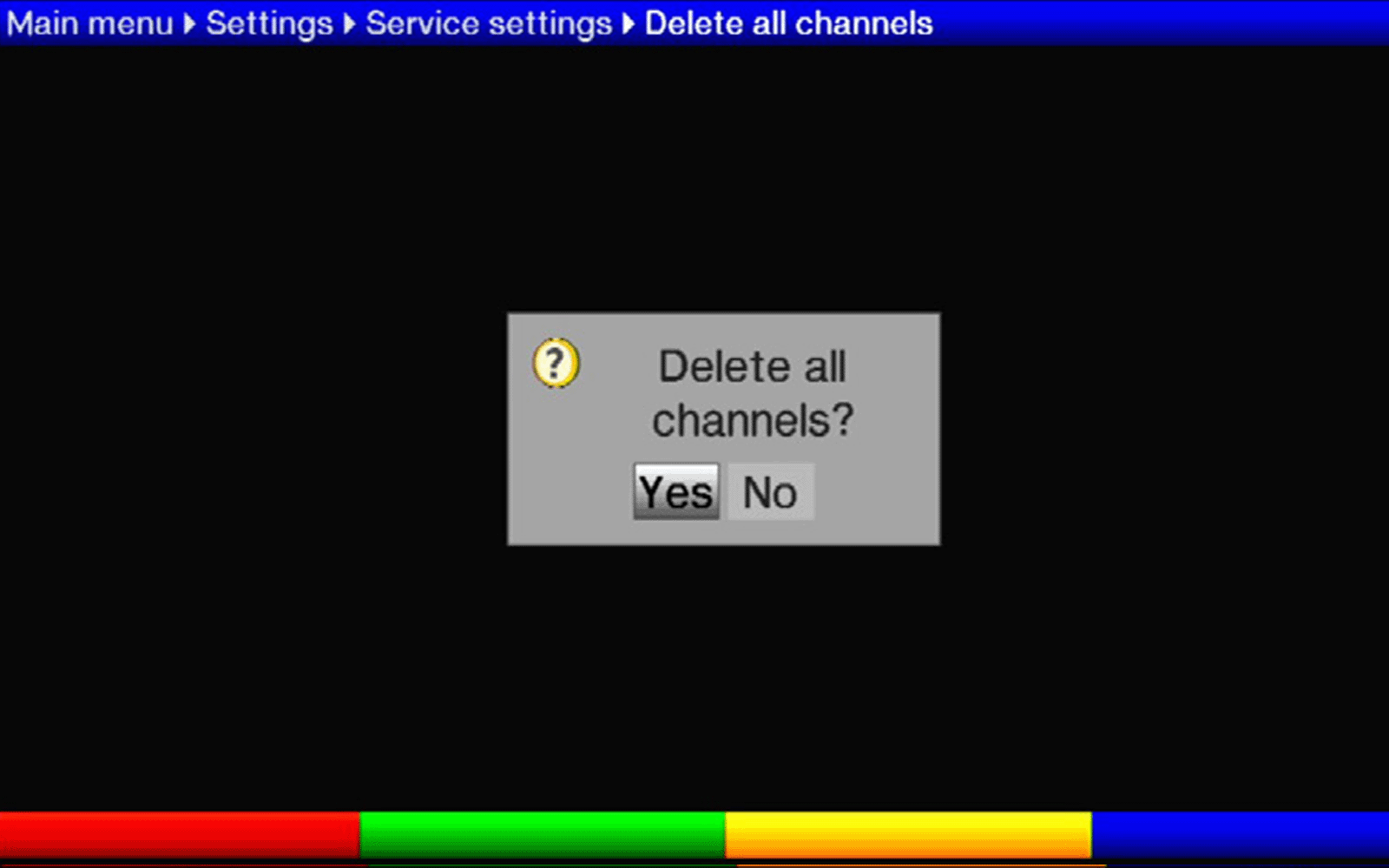
6) You will be prompted for confirmation with a Yes/No box. Select Yes and press OK.
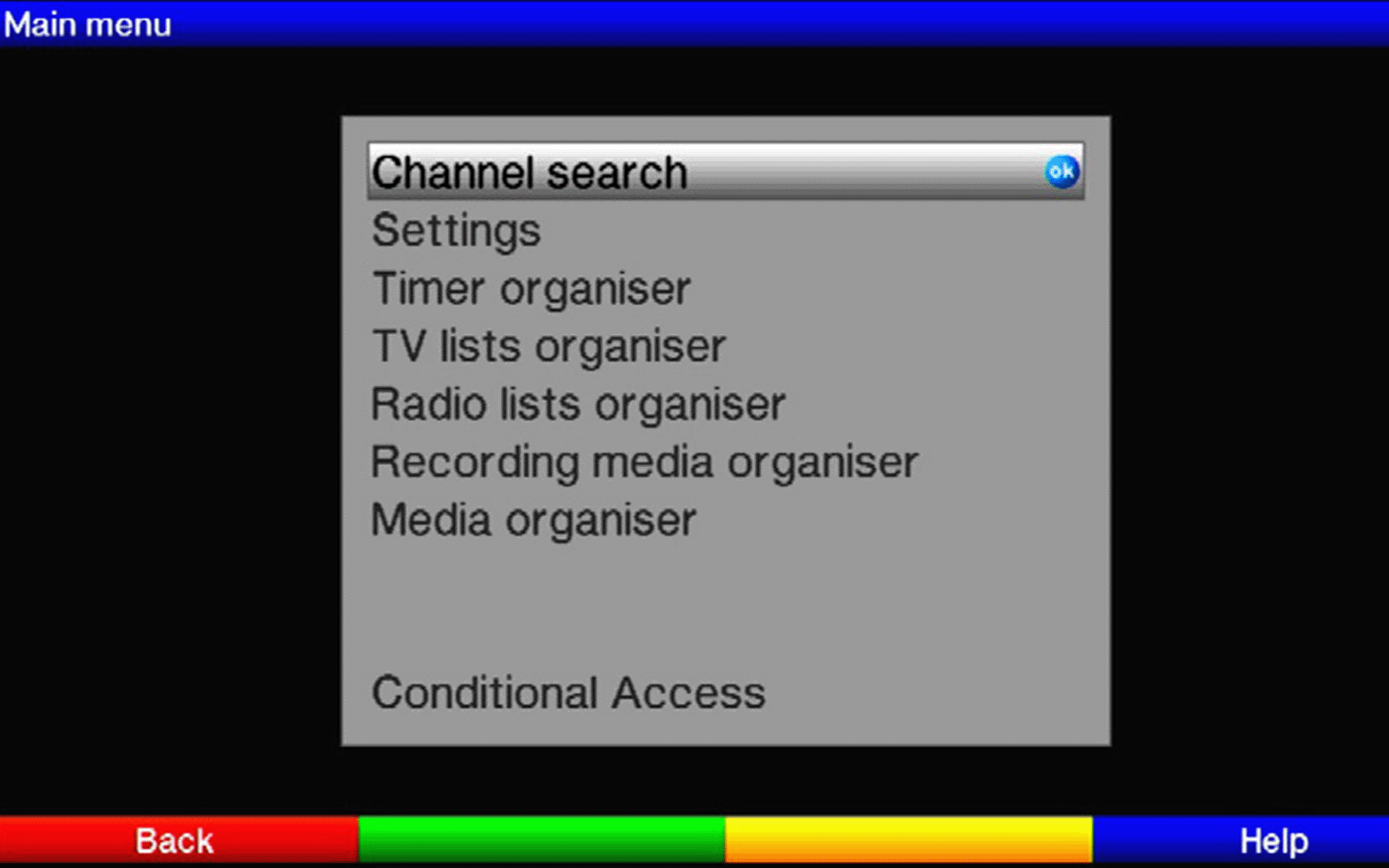
7) Once done press back 2 Times, then select Channel Search and press OK.
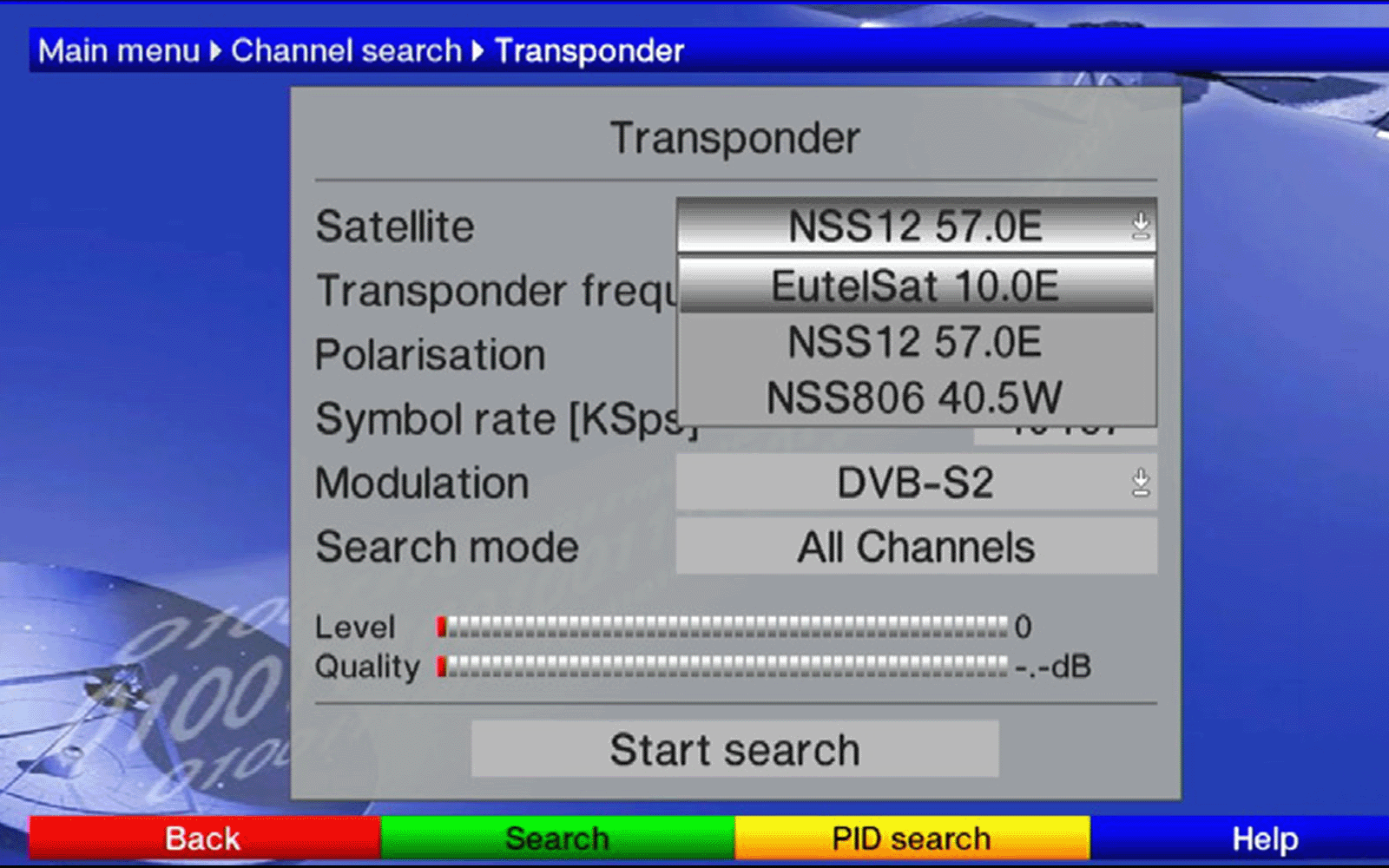
8) Use the arrows to highlight Transponder, press OK, then highlight the box for Satellite. Press OK then select Eutelsat 10E.
9) Move down to highlight the Transponder Frequency box then use the numeric keypad to change the value to 11787.
Arrow down, and change the polarisation to h if necessary.
Highlight the Symbol rate box, and use the numeric keypad to type the value 23333.
Lastly, change the Modulation to DVB-S2 if necessary.
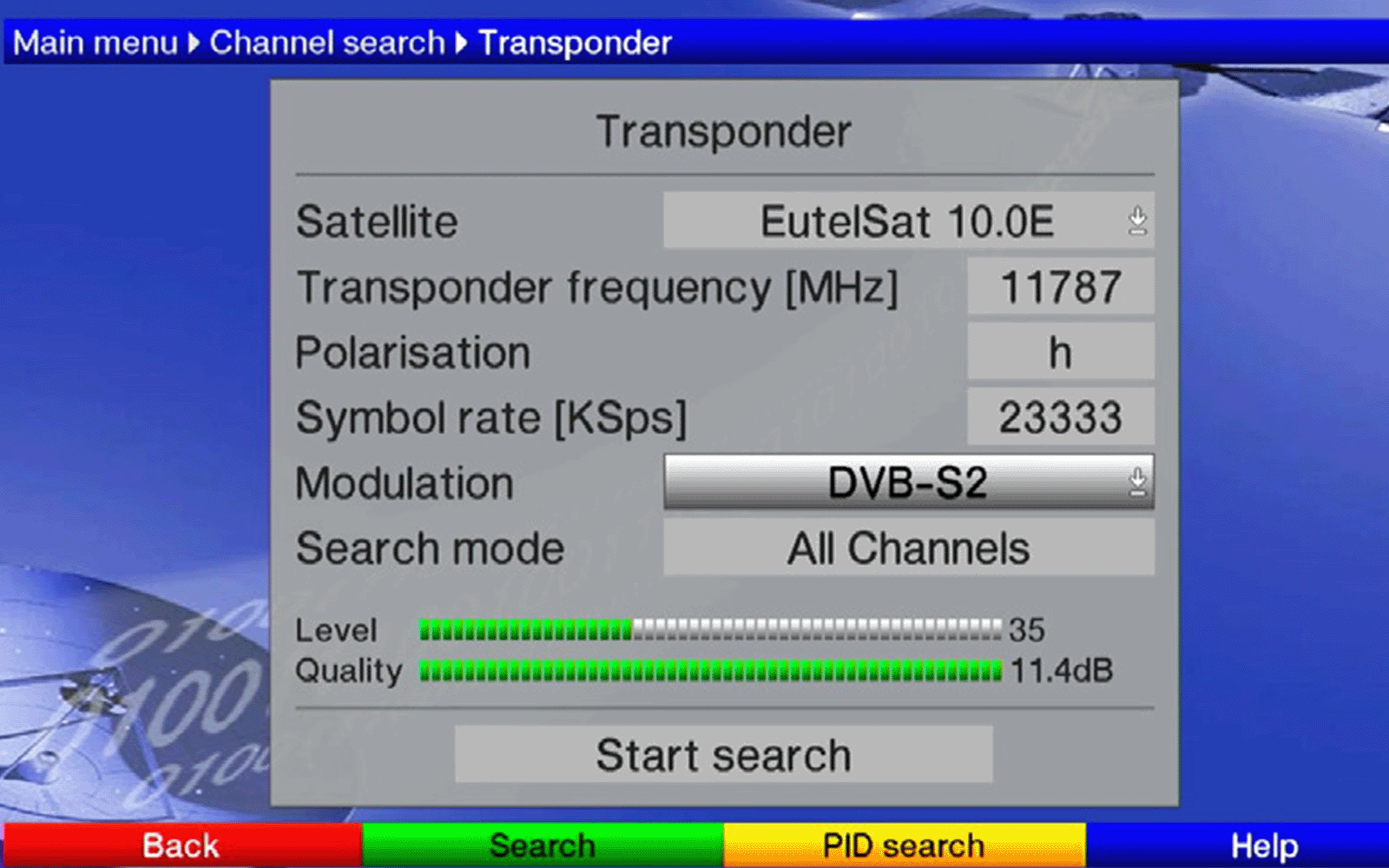
10) Once you have done this, the Quality bar at the bottom of the screen will become green.
Highlight Start Search then press OK.
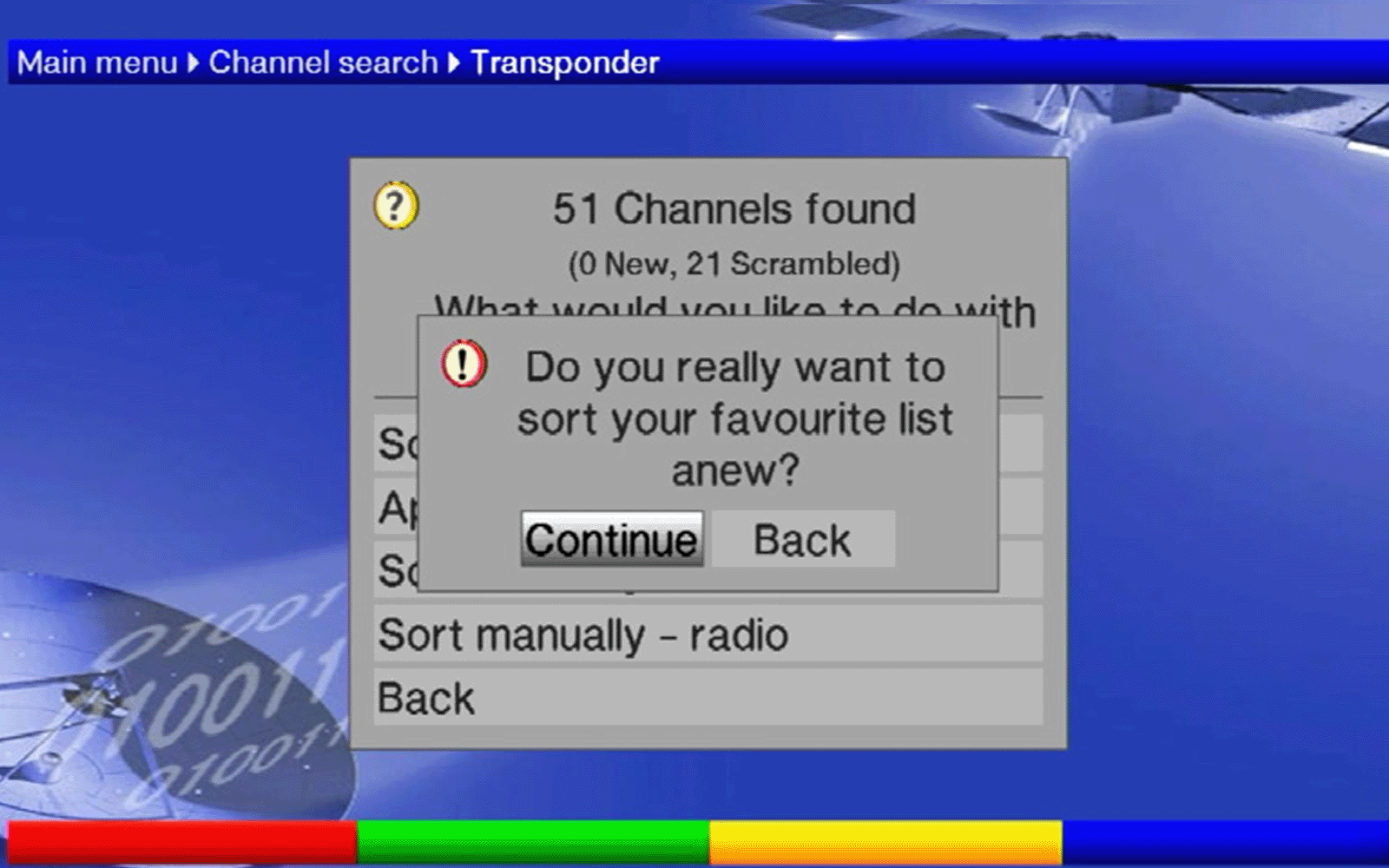
After a couple of seconds, a dialogue box will report 51 Channels found.
Press OK again to Sort Automatically.
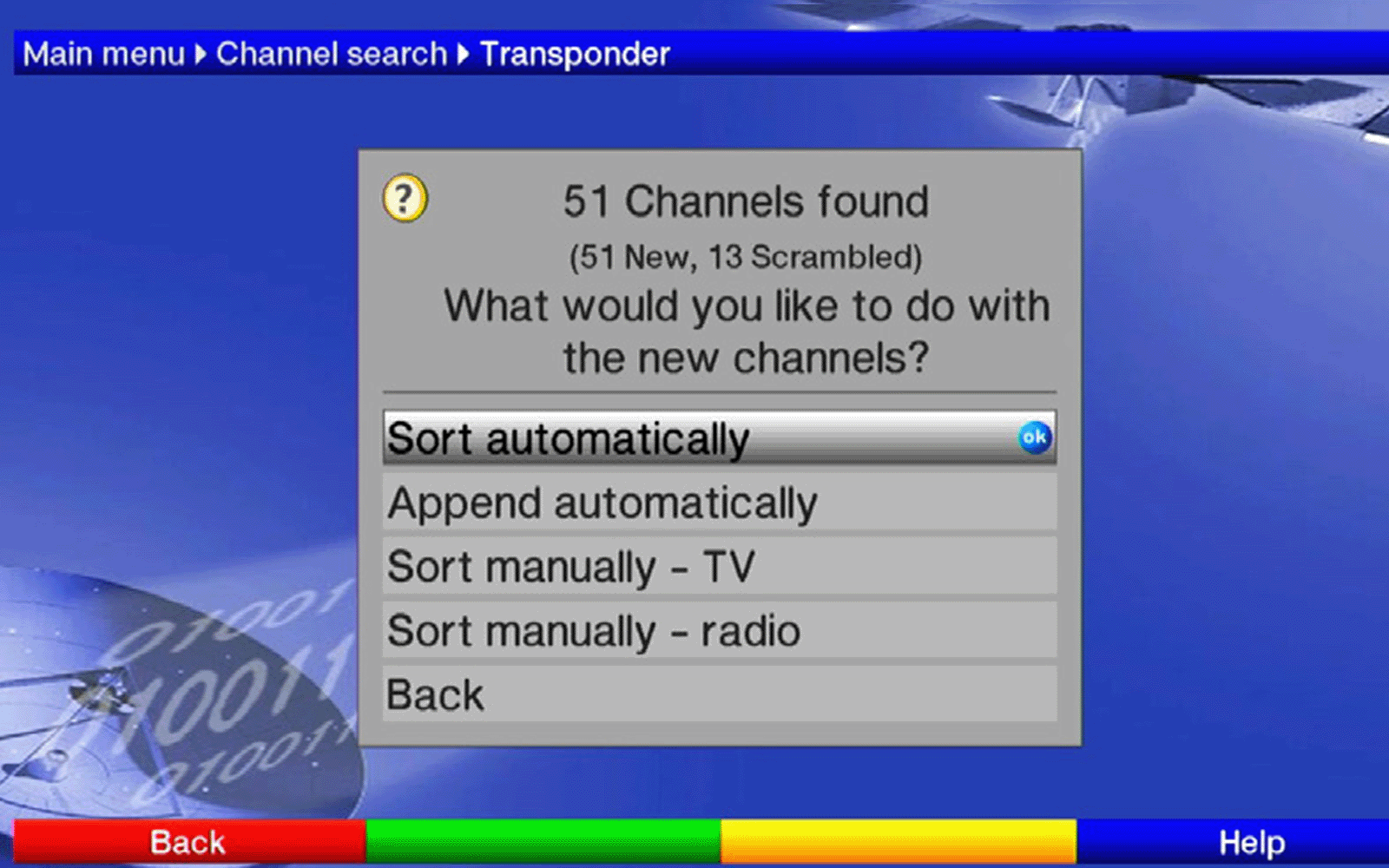
11) Highlight Continue then press OK.
12) Press Back 3 times and your normal viewing should be restored.
For more support call: +44 (0)1494 878100.